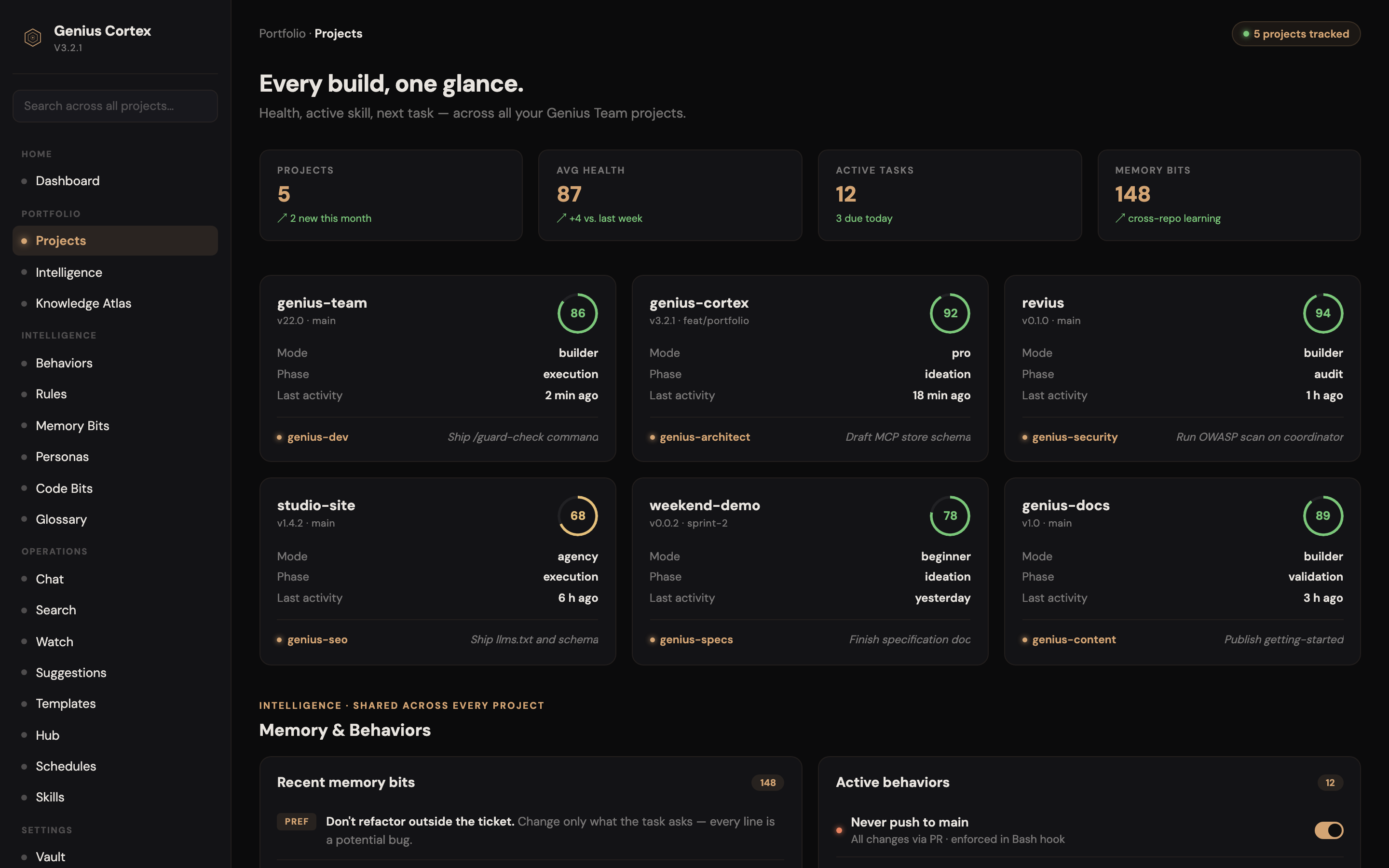
An open-source framework that orchestrates 54 specialized AI agents โ each spawnable on demand โ to take your idea from interview to production, with human checkpoints at every phase.
Every project starts with genius-interviewer. It asks the right questions before any work begins โ no assumptions, no drift. Output: a validated brief, approved by you.
Specialized agents spawn for market analysis, specs, design, and architecture. Each phase ends with a human checkpoint โ you approve before the next phase launches.
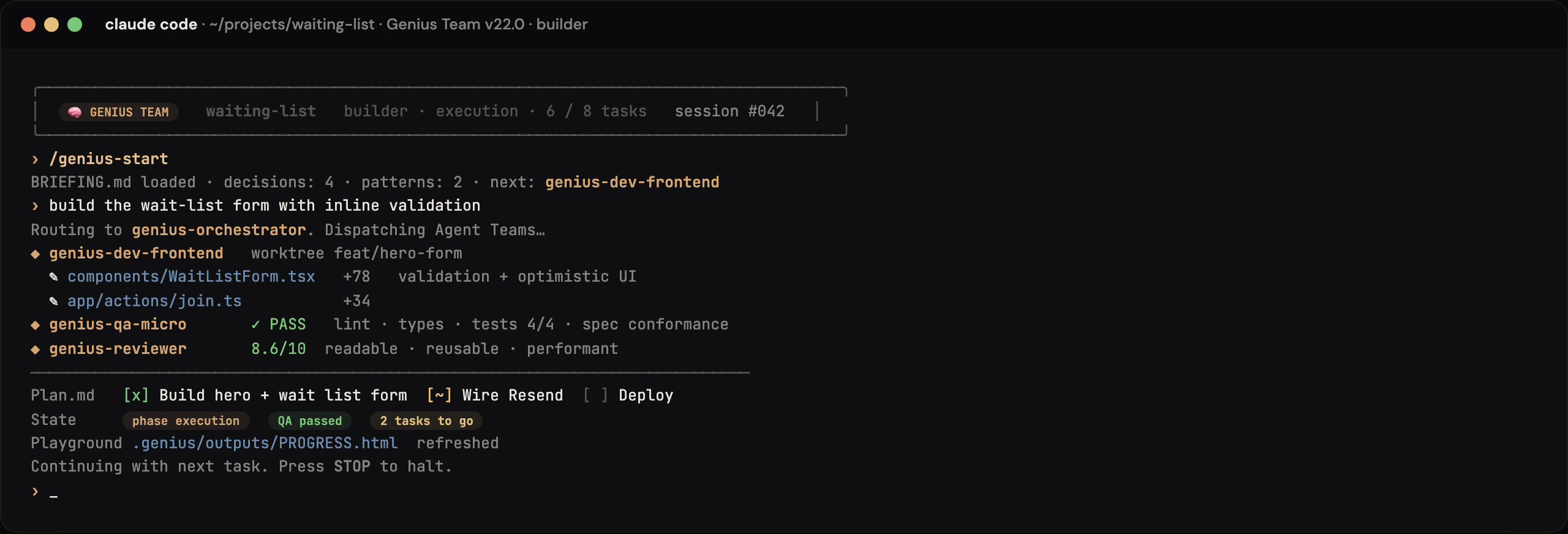
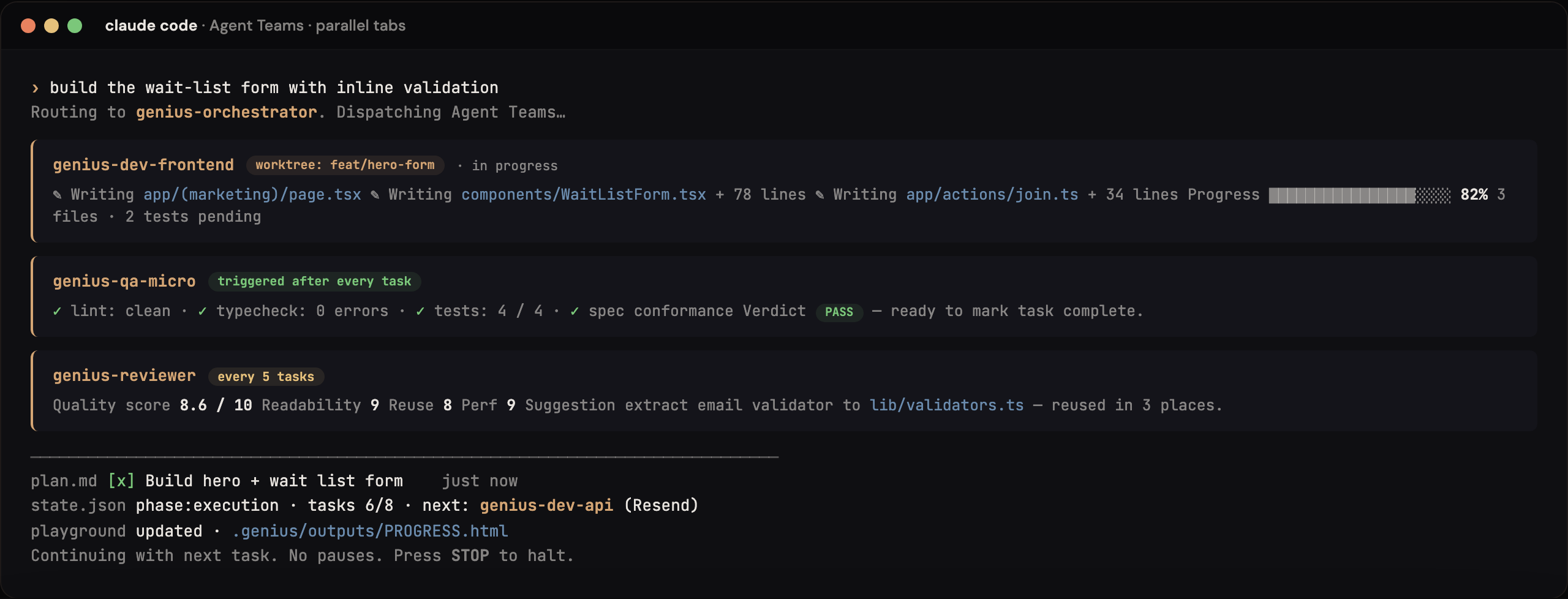
Agent Teams execute in parallel with git worktree isolation and mandatory QA loops. A Retrospective Engine runs after each phase โ feeding learnings back into memory.
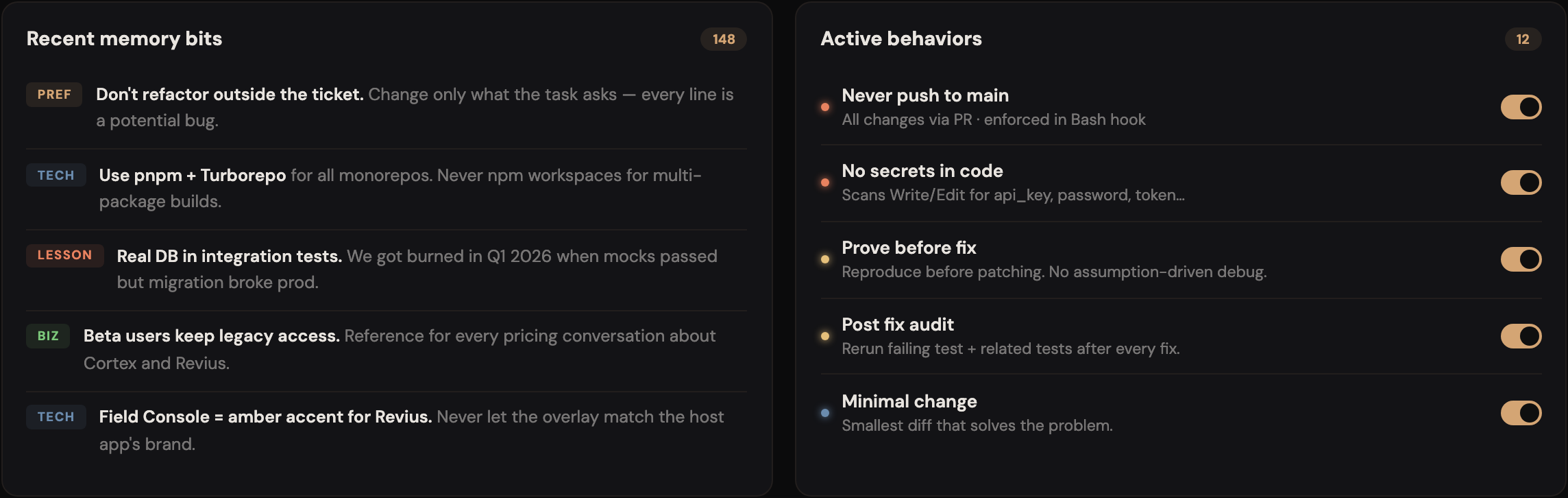
Every decision, every lesson, every trade-off is stored. New projects inherit wisdom from past ones. The more you build, the smarter your agents become.
Terminal-focused. Full hook system (SessionStart, PreCompact, Stop, PostToolUse). Agent Teams via Shift+Tab.
VS Code & Cursor focused. Installs tasks and rules automatically. Agent Teams via Task().
Claude Code leads, secondary providers (Codex, Kimi, Gemini) handle specialized tasks. Auto-fallback.
Two terminals, one project. Claude Code builds, Codex challenges โ or vice versa. The /challenge command reads what the other engine just did (via dual-bridge.json) and reviews it automatically, with zero context needed.
Built on Claude Code's experimental agent teams. The Lead orchestrates while teammates execute in parallel with git worktree isolation.
12 visual decision-making playgrounds for each phase. See options, make choices, understand trade-offs โ all in a guided interface.
Keeps Claude on track and prevents going off-rails. Auto-detects when the AI drifts from the plan and brings it back.
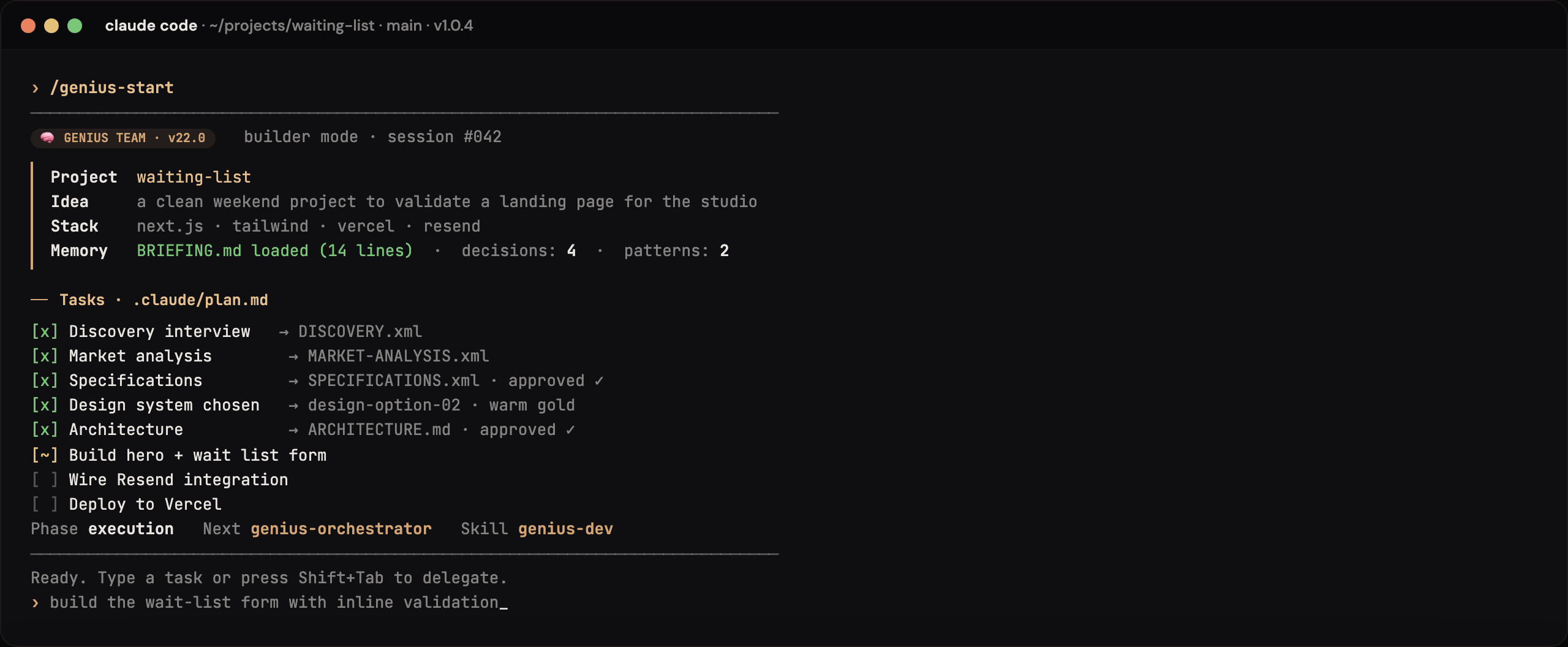
Nothing is ever forgotten between sessions. Memory lives in .genius/memory/ with auto-generated BRIEFING.md loaded at every session.
Every task goes through: Dev โ QA-micro โ Fix โ Re-QA โ โ . Nothing ships without passing quality assurance.
Toggle /save-tokens to use Sonnet for high-volume roles while keeping Opus for lead and architect. Cut costs without cutting quality.
Every skill is now a spawnable sub-agent with its own context, memory, and lifecycle. The orchestrator coordinates โ agents execute in isolation. No context pollution.
Between every major phase, the flow pauses and waits for your explicit approval. Review deliverables, request changes, or green-light the next agent spawn. You stay in control.
After every phase, a structured retrospective runs automatically: what worked, what failed, what to carry forward. Written to .genius/memory/retros/ and surfaced in future sessions.
Decisions, patterns, and lessons accumulate across all your projects โ not just within one session. Your agents get smarter every time you build something new.
Optimize for AI search engines (ChatGPT, Perplexity, Claude, Gemini) AND traditional SEO. Includes llms.txt generation, citability scoring, and AI crawler access validation.
genius-crypto connects DexScreener (free, no key), OpenSea NFTs, and Dune MCP on-chain analytics into a unified Web3 intelligence layer for your project.
genius-skill-creator detects recurring project patterns and creates project-specific skills on demand. The framework extends itself to fit your workflow.
Open two terminals. Type /challenge in either one to instantly review what the other engine just built โ the dual-bridge.json syncs context automatically. No explanation needed.
genius-experiments runs optimization loops autonomously: edit โ test โ measure metric โ keep or revert โ log โ repeat. Inspired by Karpathy's autoresearch pattern. Run overnight.
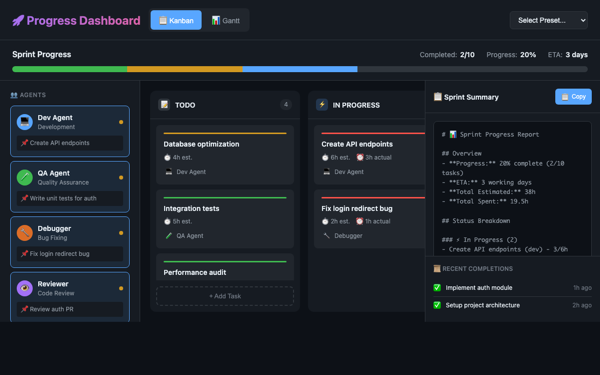
genius-playground-generator reads your real project data (specs, market analysis, dev progress, SEO scores) and generates a custom HTML dashboard โ not a generic template.
genius-auto configures automatic approval policies per skill type โ safe actions run hands-free while destructive operations stay gated. Unattended mode for trusted workflows.
genius-ui-tester uses Claude Code Computer Use to take screenshots, detect visual bugs, validate layouts, check responsive design, and generate visual regression reports.
genius-ci sets up GitHub Actions workflows with Claude Code --bare mode for scripted execution โ automated PR review, quality gates, and continuous integration.
genius-scheduler configures recurring tasks via /loop โ PR review cycles, deploy monitoring, daily summaries, test watching, and autoresearch loops on a schedule.
Full compatibility with Claude Code 2.1.86 โ HTTP hooks for TaskCreated and WorktreeCreate events, model picker integration, and enhanced agent team coordination.
/genius-playground.curl -fsSL https://claude.ai/install.sh | bash
OpenClaw handles everything automatically. Standalone lets you run skills directly with your coding agent.
Starting from scratch or adding Genius Team to an existing codebase?
Use lowercase letters, numbers, and dashes. No spaces.
Choose your preferred development environment.
Select your AI assistant for building the project.
Copy and run this in your terminal.
git clone https://github.com/w-3-art/genius-team.git my-awesome-app cd my-awesome-app ./scripts/setup.sh
Requirements: Claude Code (latest) ยท jq ยท Git ยท Node.js 18+
bash <(curl -fsSL https://raw.githubusercontent.com/w-3-art/genius-team/main/scripts/upgrade.sh)
Or from inside Claude Code:
/genius-upgrade
Run /genius-upgrade inside Claude Code.
Run /genius-switch-engine codex inside Claude Code, or: bash <(curl -fsSL https://raw.githubusercontent.com/w-3-art/genius-team/main/scripts/switch-engine.sh) codex. Switch to dual to use both simultaneously.
Open two terminals: one with claude, one with codex. After each build action, the engine writes to .genius/dual-bridge.json. Type /challenge in either terminal to automatically review what the OTHER engine just did โ no context needed.
GEO (Generative Engine Optimization) optimizes your content to appear in AI search results (ChatGPT, Perplexity, Claude, Gemini) โ not just Google. genius-seo handles both: llms.txt, citability scoring, AI crawler access + traditional SEO.
The 21 playground templates are generic tools (stack picker, market simulator, etc.). /genius-playground generates a custom dashboard that reads your real project data (specs, market analysis, dev progress) and displays it specifically for your project.
Claude Code CLI isn't installed. Run: curl -fsSL https://claude.ai/install.sh | bash then restart your terminal. For Codex: npm install -g @openai/codex.
The script needs execute permission. Try: chmod +x scripts/setup.sh or simply run with bash scripts/setup.sh
It's the app where you type commands. On Mac: search "Terminal". On Windows: use WSL or Git Bash. On VS Code: press Ctrl+` to open it.
Replace "my-project" with YOUR project name! Example: ...create.sh) booking-app --engine=claude. No spaces, use dashes.
Claude Code if you already use Claude. Codex CLI if you prefer OpenAI. Dual Mode if you want both โ Claude builds, Codex reviews, they challenge each other for the best result.
Claude Code acts as Builder (implements features), while Codex CLI acts as Challenger (reviews and critiques). They iterate via shared files in .genius/ until both agree the code is solid.
Run /guard-check to see if something went wrong. If needed, /guard-recover gets you back on track. Works with both Claude and Codex.
No worries! Just cd back to your project folder, run claude (or codex), then /continue. The memory system in .genius/ remembers everything.
Yes โ Claude Code requires a Claude Pro or API subscription (claude.ai/pricing). Codex CLI requires an OpenAI account. Both have free trials.
Run /genius-upgrade inside your project. Or from the terminal: bash <(curl -fsSL .../scripts/upgrade.sh)